Import your hand histories
Poker [AI]dvisor
3/10/2026
Poker [AI]dvisor accepts hand history files in text format .txt, .xml, .hh, and .log. Here's how to get them from your poker room.

Winamax
📁 Local files (automatic)
Winamax automatically saves your hand history on your computer from the very first hand played.
C:\Users[YourName]\AppData\Roaming\Winamax\documents\accounts[Username]\history
~/Library/Application Support/Winamax/documents/accounts/[Username]/history
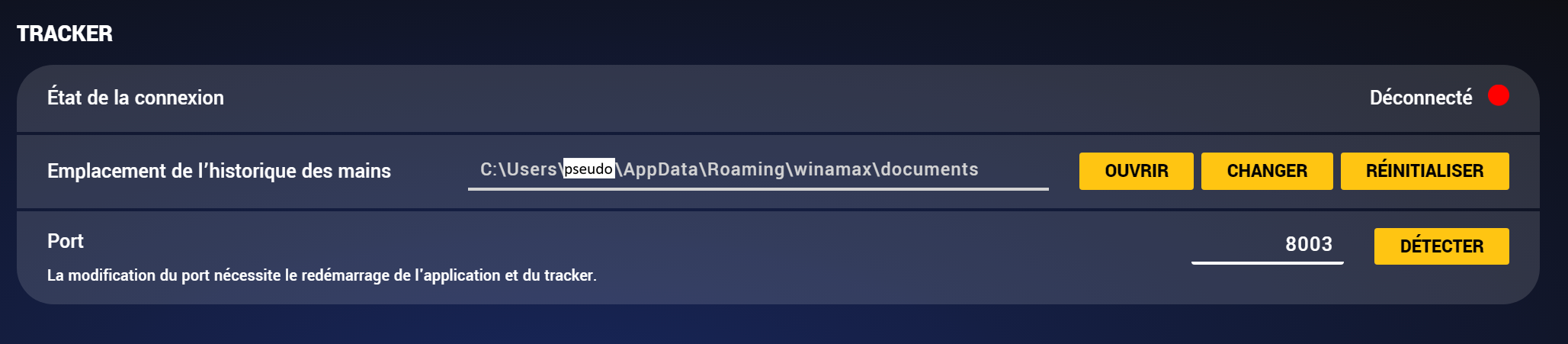
.txt file contains the hands played during a session.The exact path is shown in the app configuration (Settings → Tracker):
🌐 Request your hands online
You can also download your full hand history from the Winamax website:


iPoker (Betclic / PMU)
⚙️ Enable local saving
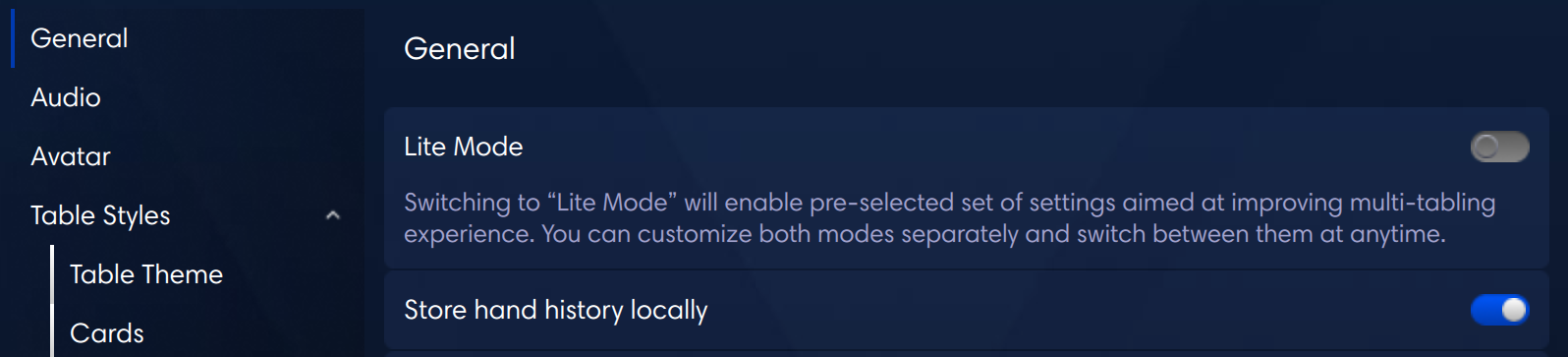
Enable "Store hand history locally" in the settings:
📁 Local files
C:\Users[YourName]\AppData\Local[iPokerClient]\data[Username]\History\Data
[iPokerClient] with the client name: Betclic Poker, PMU Poker, etc.🌐 Request your hands online

PokerStars
⚙️ Enable local saving
📁 Local files
C:\Program Files\PokerStars.EU\HandHistory[Username]
~/Library/Application Support/PokerStars.EU/HandHistory/[Username]
PokerStars.EU, PokerStars.FR…). Check under Settings → Where To Save.📧 Request history online
You can request the last 100 hands, a complete tournament, or a specific time period. Histories are kept for 7 years.

Unibet
📋 Copy from the client
.txt file and import it
GGPoker
📥 Download via Pokercraft
Import into Poker [AI]dvisor
.txt files